A facility for property agents Pilot environment · Ireland

Property applicants,
plainly managed.

A plain operational workspace for sales and rental applicant evidence, document submission, and structured review files.

Invite applicants, collect documents, and review structured evidence for property transactions.

Use the same workspace for rental applications and purchase applications.

EST. MMXXVI DPA DPC MARKET Ireland TLS 1.3 · AES-256

§ 01

The process.

A link is sent, documents are uploaded, and a record is returned.

I

THE AGENT

Invite issued

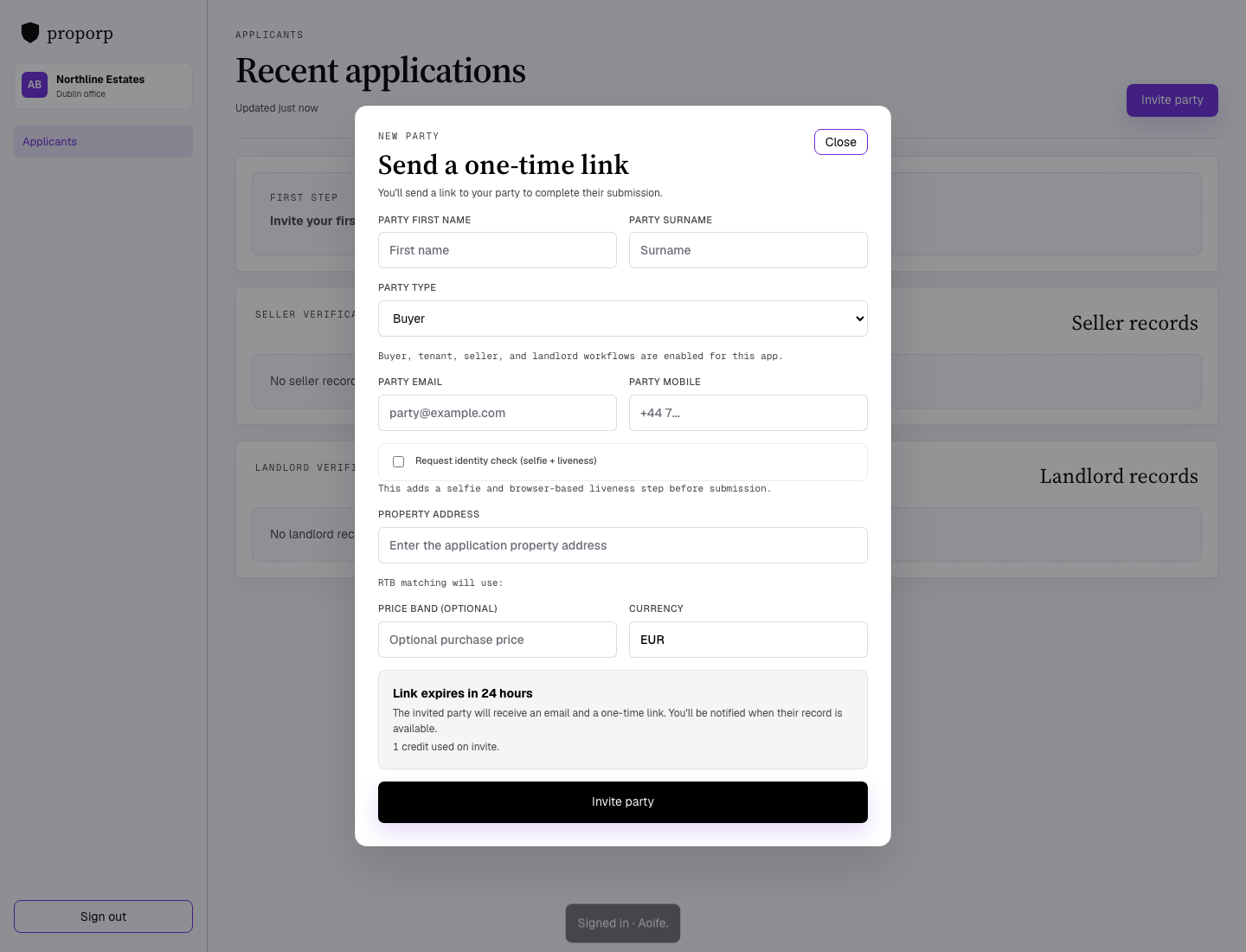
From the dashboard, enter the applicant details, the property, and the application context. A one-time link is issued for 24 hours.

SINGLE USE · 24H
II

THE APPLICANT

Documents submitted

The applicant opens the link, reviews the request, and uploads the required documents.

ENCRYPTED · NO ACCOUNT
III

THE FACILITY

Record returned

The record is stored against the application and returned to the dashboard.

OPERATIONAL RECORD

§ 02 · THE LEDGER

Every property applicant
in one place.

Search by name, email, or property. Reissue an expired link in a single action. Review the current state of each application from one list.

proporp.com/agents/oaklane-property/applications

Applicants

147 active · 8 pending

§ 03 · SECURITY

Documents
that matter.

Submitted documents are handled in a controlled workflow with limited retention and access.

§ 3.1

End-to-end encryption

AES-256 at rest. TLS 1.3 in transit. Keys rotate automatically and are audited.

§ 3.2

One-time links

Links expire after 24 hours and self-destruct on first use. Reissue costs the agent nothing.

§ 3.3

No applicant accounts

Applicants use a one-time link and do not maintain a portal account.

§ 3.4

Registered operator

Data handling and retention are managed under the configured operating policy for this environment.

§ 04 · TARIFF

Operational access.

Use the workspace to issue applicant links, receive submissions, and review application records in one place.

Access

Invite

Applicant workflow

  • One-time links
  • Document submission
  • Review records
  • Status tracking

Review

Stored

Operational state

  • Search by applicant
  • Property-linked records
  • Link reissue
  • Controlled access

§ 05 · CORRESPONDENCE

Common questions.

Operational points for agents using the workspace.

Do applicants need an account?

No. Applicants use a one-time link and submit documents against the request shown on screen.

How long are links valid?

Twenty-four hours from the moment of issue. After expiry an agent may reissue, in one click, at no cost.

What documents can be uploaded?

Applicants can upload documents requested for the selected workflow, such as bank statements, income documents, references, guarantor documents, or other application evidence.

Can I use my own branding?

Yes. Upload your logo and set your colours. Applicant links use your agency details.

Where are documents held?

Documents are processed transiently in encrypted temporary storage and are deleted after processing. The retained record is the structured application record.

§ 06 · REFERENCE

Operational reference.

Core information about workflow, access, handling, and use.

Product

Workflow and platform use.

Product

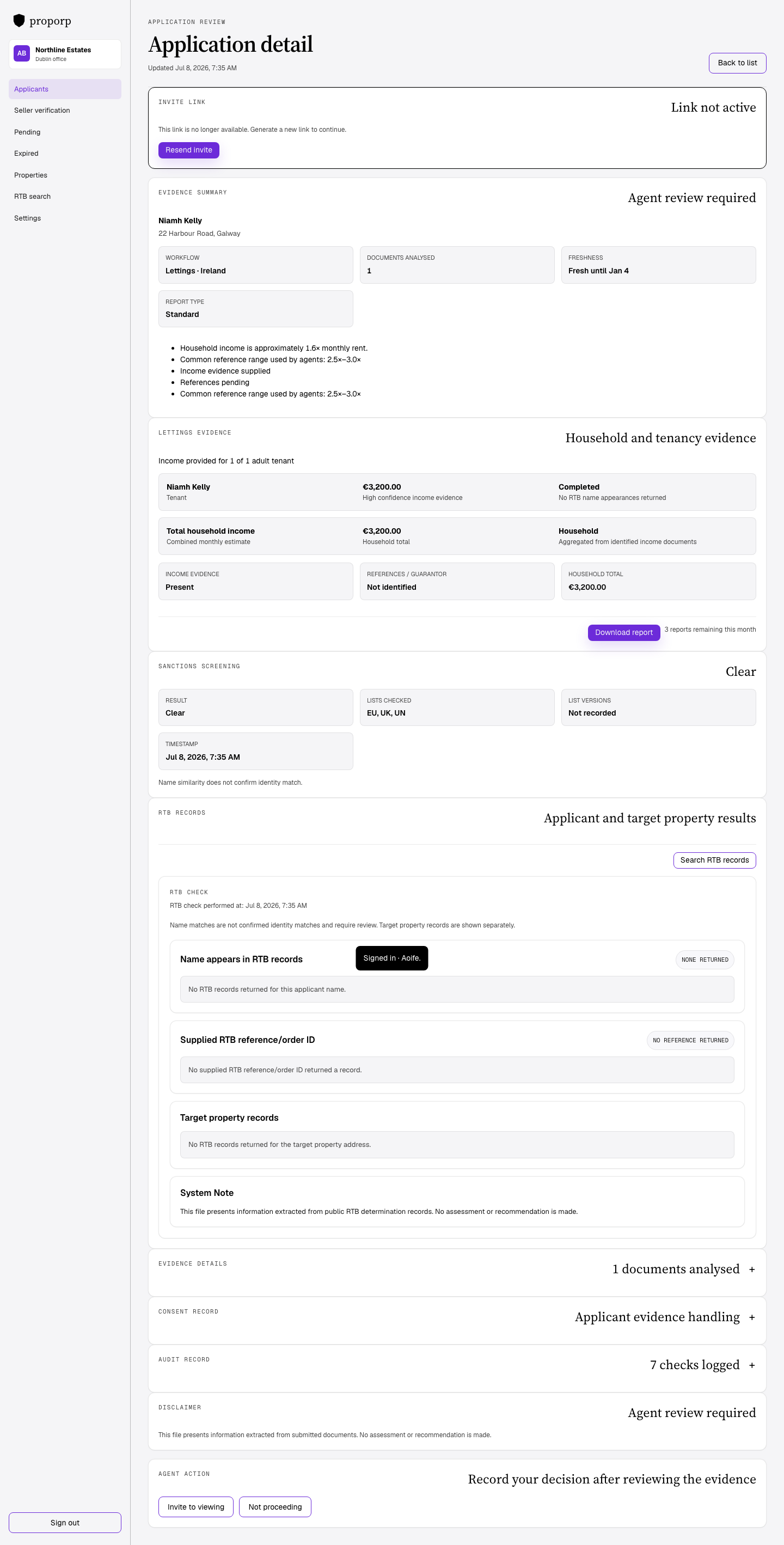
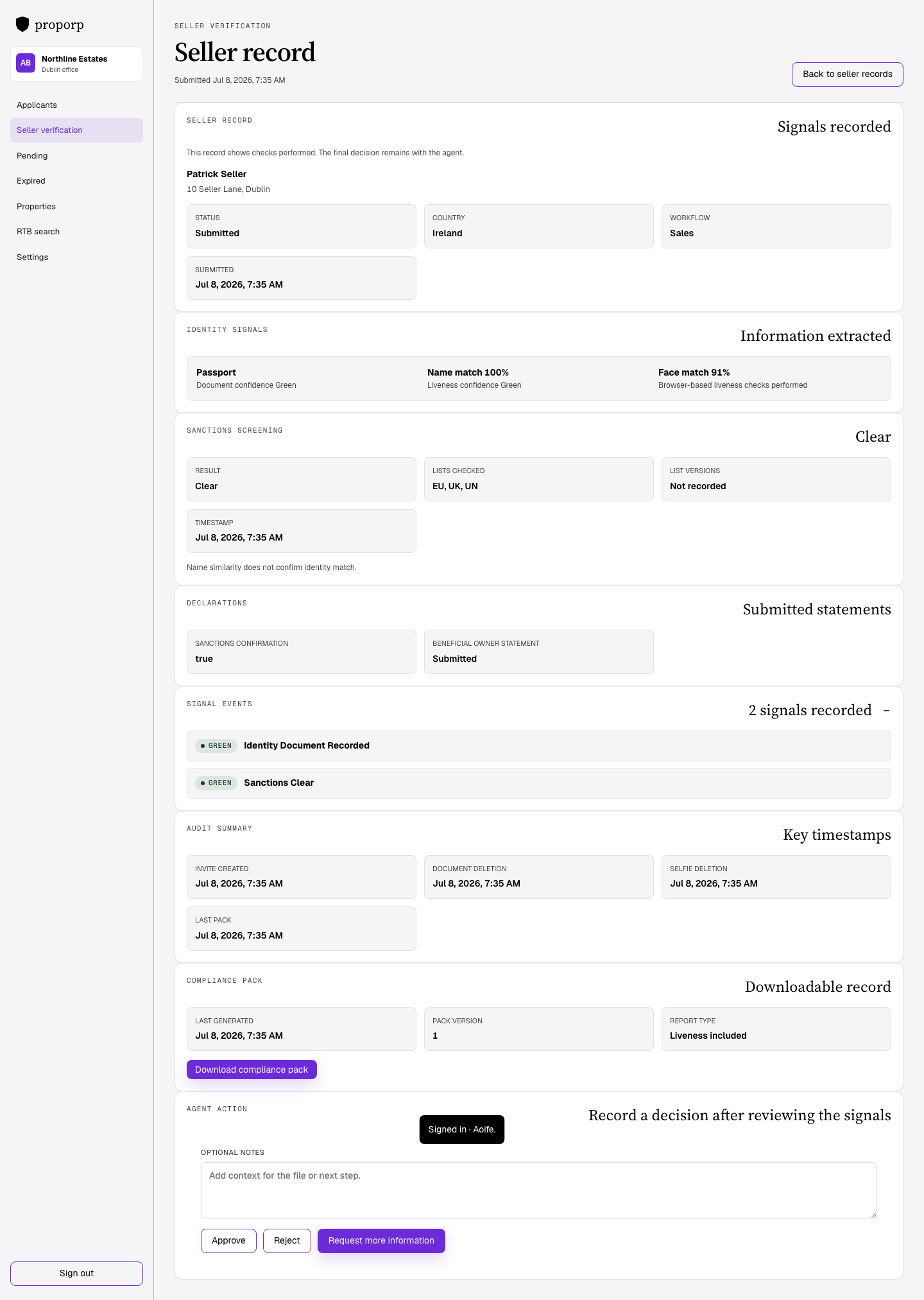
This system is used by licensed property agents to manage applicant evidence files. An agent creates an invite and sends a one-time link to the applicant. The applicant submits documents through that link. Workflow-specific checks are attached where relevant. Agents review each application in a structured record.

How it works

  1. Agent sets up access using a PSRA licence.
  2. Agent invites applicant.
  3. Applicant submits through a one-time link.
  4. System processes the file and applies workflow-specific checks where configured.
  5. Agent reviews and decides outside the system.

Pricing

The system uses a per-invite or per-check model. Usage is tied to workflow volume rather than a long-term licence commitment. It is intended for operational use with variable activity levels. Standard use does not require a long contract.

Security

Access is limited to verified agent accounts. Passwords are stored using PBKDF2 hashing. Authentication uses short-lived access tokens and revocable refresh tokens. Account, invite, and review activity is recorded in audit logs. Public-record checks are used only where configured for the selected workflow.

API

The API supports invite creation, application retrieval, workflow check results, and JWT-based authentication. It is intended for operational integration rather than public applicant access.

Changelog

Changes are made incrementally. Workflow, evidence handling, and review-file updates are tracked as they are released. The changelog records operational changes and fixes rather than release marketing.

For agents

Use by team type.

For agents

This system is built for agent workflows. It is used to issue invites, collect applicant submissions, and review files in a structured way. It is not designed as a consumer-facing applicant product.

Independents

Single-office teams can use the system directly for day-to-day applicant handling and review.

Offices

Office teams can share a common workflow for invites, submission review, and record handling.

Chains

Multi-branch groups can use the same process across offices with central control over access and workflow use.

Case studies

Case study material is available on request. Typical review areas include applicant handling time, workflow consistency, structured file review, public-record check handling, and branch process control.

Onboarding

Enter the PSRA licence number. Confirm the agency record. Set a password once access is approved. After that, the agent can sign in and begin inviting applicants.

Company

Operational information.

About

The company builds workflow tools for property operations. Its focus is structured application handling, PSRA agent verification, and review-file tooling for regulated property use cases.

Contact

For account, onboarding, or operational queries, contact support by email. Support contact details are provided to registered users and onboarding users.

Privacy

The system collects agent account data, applicant submission data, workflow records, and related audit activity. This data is used to provide access, process submissions, return records to agents, and support audit review. Public-record data is used only where configured for the selected workflow. Data is not sold to third parties.

Terms

Use of the system is subject to account approval and valid access. Agents are responsible for the accuracy of information entered, the lawful use of applicant data, and decisions made using returned records. The system supports workflow handling and does not guarantee outcomes.

Support

Support is provided by email. It covers account access, invite issues, submission handling, and operational workflow problems. Response times depend on issue type and operating hours.

Legal

Data protection and use.

Privacy

Personal data is used for account access, workflow operation, application handling, and audit purposes. Public-record data is used only where configured for the selected workflow. Data is not sold to third parties.

Terms

Agents are responsible for lawful use of the system, the accuracy of entries, and the handling of applicant information within their own processes. The service does not provide legal conclusions or suitability guarantees.

GDPR

Depending on context, processing may rely on contractual necessity, legitimate interests, or related operational grounds used by the agent or platform operator. Data subjects may have rights of access, rectification, erasure, restriction, objection, and complaint.

DPC

The Irish Data Protection Commission is the relevant supervisory authority for data protection complaints in Ireland. Users may raise concerns through the DPC complaint process.

Cookies

The system uses essential cookies for session and access handling. It does not use advertising cookies or third-party tracking cookies in the core workflow.

Account access

Sign in

Use your email and password to access the workspace.

Setup · § A

Set yourself up

Start with your country and agency details.

Ireland
PSRA verification status will appear here.
PSRA verified

Licence categories are read from the PSRA record and stored with the account.

Select your record if listed. If not, add the individual PSRA number and enter your name manually.

Account · § B

Set your password

Set a password and proceed to the dashboard.

Applicants

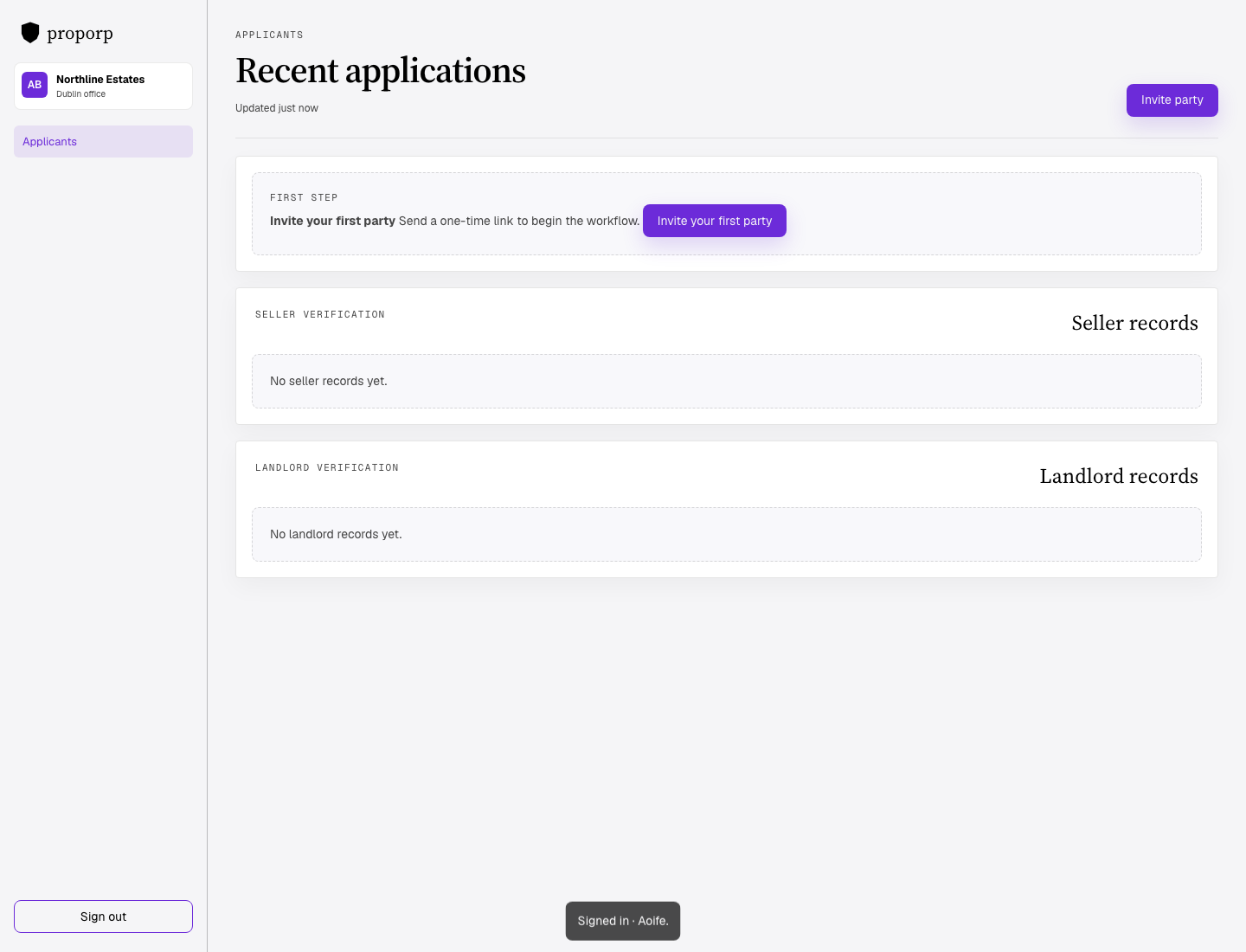
Recent applications

Updated just now

Submitted applications

0From database

Pending

0Awaiting docs

Records in review

0Total records

Expired · resend

0Available to reissue
Loading buyer link...

Platform · last 30 days

Platform overview

New application

Send a one-time link

Workflow availability is set by the admin.

RTB matching will use: 22 harbour rd galway

Link expires in 24 hours The applicant will receive an email and a one-time link. You'll be notified when their record is available. 1 credit used on invite.